Simple system maintenance with safe tools
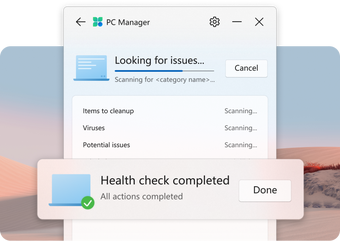
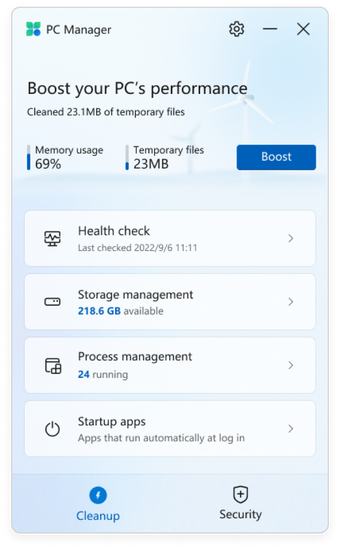
Microsoft PC Manager is a lightweight utility for checking system health and applying quick fixes without digging through multiple menus. Health Check surfaces storage pressure, memory load, and common issues so problems can be handled early, not after slowdowns start. It suits users who want maintenance that stays transparent.
Top Recommended Alternative
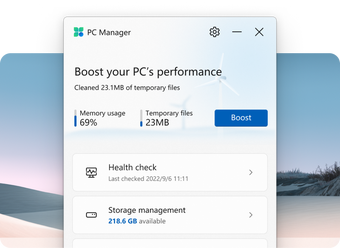
For routine upkeep, Microsoft PC Manager bundles PC Boost and Startup Apps controls to cut background drag and keep sessions snappy. It leans on built-in system services, so it stays quiet during normal use while still giving a clear, repeatable way to keep a PC in good shape for everyday desktops.
Keeping PCs responsive without risky tweaks
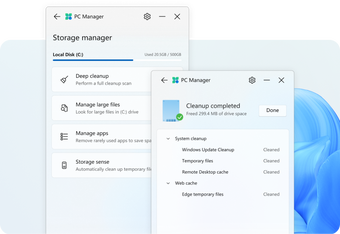
Microsoft PC Manager keeps maintenance tasks in one place and favors predictable changes over aggressive clean everything behavior. Storage Management targets leftover files that build up over time, while Process Management makes it easier to spot and end obvious resource hogs. That’s useful for quick triage during a busy day, though it won’t replace deeper troubleshooting tools. Compared with CCleaner, it tends to be more conservative, which lowers risk but also limits how much tuning can be done. It’s also handy for quick checks before meetings or after installs.
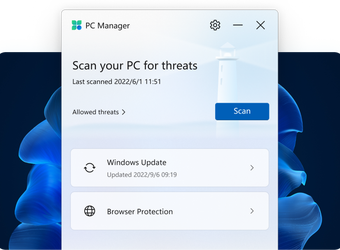
Once set up, most actions take only a few clicks and don’t demand constant monitoring. Browser Protection helps reduce common web-based annoyances that can affect day-to-day reliability, while the rest of the toolkit stays focused on basic upkeep. Results depend on what’s running and how full the drive is, so expectations should stay realistic. Power users may prefer Sysinternals utilities for deep diagnosis, but those require more time and expertise. Here, the benefit is fast wins with fewer chances to break something. That keeps workflows moving.
Performance impact is generally low because the app relies on native services rather than running heavy background scanners all day. It’s best used as a quick checkup tool, not a full-time optimizer, and it works well alongside careful patching and sensible app installs. The downside is that advanced controls are limited, so complex slowdowns may still require manual investigation or specialized utilities. Used with restraint, it helps keep PC maintenance from turning into a risky experiment. A quick run once or twice a week is usually enough for most setups.
Safe maintenance for everyday PC care
Microsoft PC Manager fits users who want a simple way to keep a PC running smoothly without relying on aggressive third-party cleaners. It keeps routine upkeep predictable, offers quick ways to address common slowdowns, and stays light during normal work. The toolset is intentionally basic, so it won’t satisfy deep tuning needs, but it’s a solid pick for regular checkups and fast fixes. Recommended for anyone who values safety, clarity, and consistent results.